
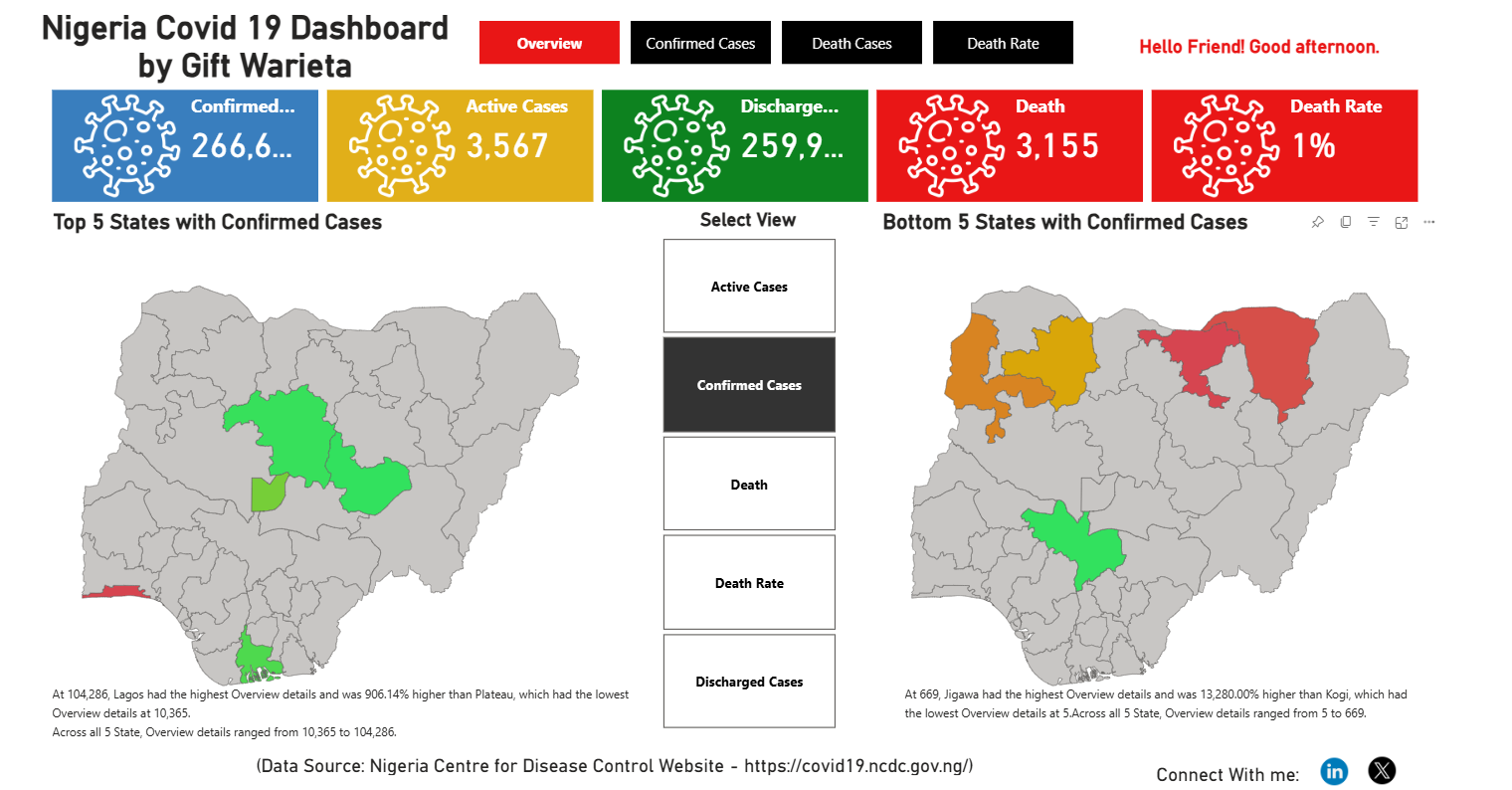
The Context & Objective
During the exploration of global COVID-19 datasets, a recurring analytical bottleneck emerged: different stakeholders require different levels of granularity. A high-level executive might only want to view the “Top 5” impacted regions to allocate immediate resources, while a public health researcher might need to analyze the “Bottom 15” to study successful containment strategies.
The objective of this project was to transition from a static reporting model to a dynamic, self-service analytical tool.
The Challenge: Dashboard Bloat and Static Limitations
Standard business intelligence dashboards often rely on hardcoded visual-level filters (e.g., permanently setting a chart to show only the Top 10 countries). This creates two major issues:
- Poor User Experience (UX): End-users are locked into the developer’s preconceived analytical views, severely limiting their ability to explore edge cases.
- Dashboard Bloat: To answer varying questions, developers are forced to build multiple, repetitive visuals (e.g., one chart for Top 5, another for Top 10, another for Bottom 5), which clutters the UI and degrades performance.
The Technical Solution: Disconnected Tables & Dynamic DAX
To solve this, I engineered a user-controlled parameterization model within Power BI that completely hands over the analytical reigns to the end-user.
- Parameter Integration: I utilized What-If parameters (disconnected tables) to generate a numeric slicer on the report canvas. This allows the user to input any integer (N) seamlessly.
- Dynamic DAX Logic: Instead of relying on basic visual filters, I wrote custom DAX measures utilizing
RANKX,TOPN, andCALCULATE. The measure reads the user’s input from the disconnected slicer in real-time, evaluates the current context of the selected metric (e.g., total cases, recovery rate), and dynamically masks any dimension that falls outside the user’s specified N threshold. - Toggle Functionality: Implemented additional logic to allow the user to instantly switch the evaluation context between “Top” (descending order) and “Bottom” (ascending order) within the same visual.
Business Impact & Results
- Maximized Real Estate: Consolidated what would normally require six or more static charts into a single, highly interactive visual.
- True Self-Service Analytics: Users can now perform custom cohort analyses on the fly without submitting ad-hoc data requests or requiring underlying data model modifications.
- Optimized Performance: By evaluating the Top/Bottom N purely in memory via DAX rather than maintaining heavy visual filters, the report maintains fast rendering speeds even over large datasets.
Tech Stack & Methodologies
- Tool: Microsoft Power BI
- Languages: DAX (Data Analysis Expressions), Power Query (M) for initial data pipeline modeling.
- Techniques: Disconnected Tables, Dynamic Evaluation Contexts, UX/UI Optimization for Analytics.